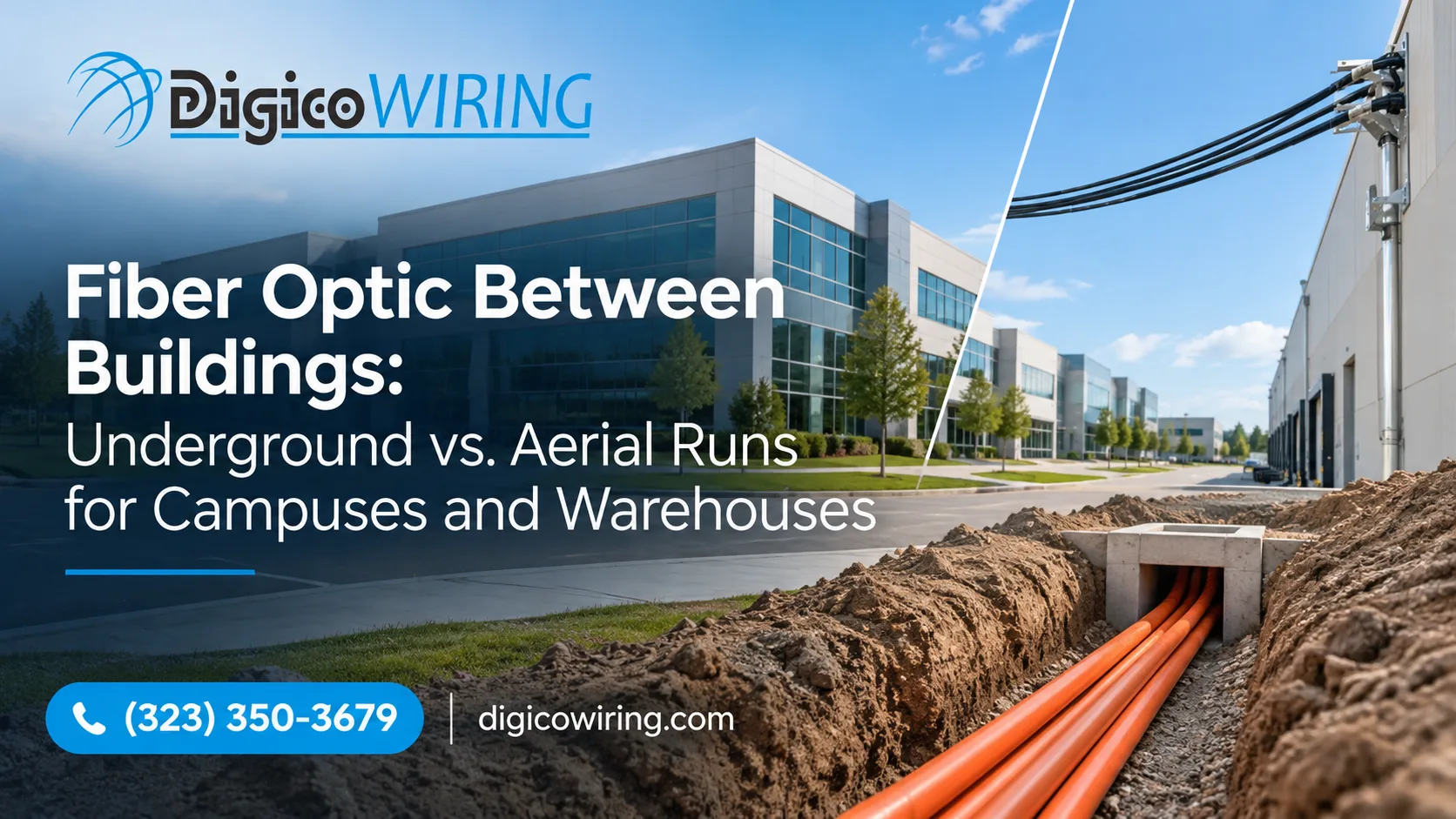
The short answer: choose underground conduit when the link is business-critical, the property will keep growing, or traffic and weather put cable at risk. Choose aerial fiber optic cable when speed and upfront cost matter most, the span is short, and poles or strand already exist. Many campuses and warehouses end up with a mix of both.
On a site plan, running fiber optic between buildings looks like a single line from point A to point B. On the ground, that line crosses driveways, loading docks, utility easements and property lines, and every one of them changes the cost, the schedule and the long-term reliability of the link. The route you pick today will carry your Wi-Fi, cameras, phones and business systems for the next 15 to 20 years, so it deserves more thought than the cable spec.
DigiCo has designed and installed low voltage and fiber systems across Greater Los Angeles since 2008. Below is how we compare aerial and underground routes with clients, including the trade-offs that rarely show up in a quote.
Why the Route Matters More Than the Cable
Every building cluster has a backbone: the links that carry traffic from each building back to the main equipment room. If the backbone fails, everything attached to it fails too, which is why a well-planned campus network infrastructure treats these links as critical.
Fiber is the standard choice for good reasons. Copper Ethernet is limited to about 328 feet (100 meters) per run. It also picks up electrical noise and can create ground-potential problems when two buildings sit on different electrical grounds. All-dielectric fiber carries no current, so it avoids all of that and covers far longer distances.
Once you commit to fiber, the next question is the path. The Fiber Optic Association's outside plant guide lists the options: aerial cable, direct-buried cable, or cable pulled through underground conduit or innerduct, and a single project can combine them. Our fiber-optic cabling and installation service covers all three.
Aerial Fiber Optic Cable: Fast and Flexible, With Limits
Aerial fiber optic cable runs overhead on poles or other supports. There are three common designs: cable lashed to a steel messenger strand, figure-8 cable with its own messenger built in, and all-dielectric self-supporting (ADSS) cable that carries its own load. The FOA's aerial cable installation guide walks through each method.
The choice between them has real cost implications. According to cable manufacturer OFS, ADSS is often faster to install and can have a lower overall cost for new construction than strand-supported designs because it requires only one cable instead of two. Because it is all dielectric, it also avoids the bonding and grounding that metallic cable needs. Lashed cable, on the other hand, usually costs more unless a messenger strand is already in place (OFS).
Where aerial works well
-
Speed. No trenching, concrete cutting or landscape restoration means shorter schedules.
-
Lower upfront cost. Skipping excavation often reduces labor, especially on longer spans.
-
Flexibility. Adding a building or changing the route later is generally easier overhead.
-
Difficult ground. Rock, crowded utility corridors or restricted digging can make overhead the practical option.
Where it struggles
-
Physical exposure. Wind, falling branches and vehicle strikes put overhead cable at risk.
-
California conditions. Seismic movement and wildfire exposure have to be built into the span design.
-
Ownership. Poles often belong to a utility or a neighbor, and attaching to them can require agreements that add weeks.
-
Appearance and security. Overhead lines are visible and easier to tamper with than buried cable.
In practice, aerial fits short spans between industrial buildings, quick-turnaround projects, and sites where trenching would cost disproportionately more than the link itself.
Underground Fiber Conduit and Direct-Buried Cable
Underground routes come in two forms. With underground fiber conduit, pipe or innerduct is installed in a trench or bored path and the cable is pulled through it, with handholes along the way for access. With direct burial, armored outside plant cable goes straight into the ground with no conduit, which the FOA's outside plant cable reference describes in detail.
Required burial depth for fiber conduit depends on local code, surface type and site conditions, so confirm the requirements with the local authority before design.
Why many campuses choose underground
-
Protection. Buried cable is shielded from weather, vehicles and most vandalism.
-
Longevity. A properly built conduit system can serve a property for decades.
-
Clean look. Nothing overhead means nothing to clutter a school quad or business park.
-
Room to grow. Spare conduit lets you pull new or replacement cable later without reopening the ground.
The trade-offs
-
Higher upfront cost and longer schedule. Trenching, boring, permits and restoration all take time.
-
Excavation risk. The biggest threat to buried cable is someone else's backhoe.
-
Harder to reroute. Once the trench is closed, changing the path is expensive.
Good underground fiber optic installation is mostly about planning for the future. Install spare conduit while the trench is open, place handholes at route changes and long straight sections, add tracer wire and warning tape, and seal conduit ends against water and debris. For additional guidance, consult current outside plant installation standards and manufacturer recommendations for conduit sealing and venting.
Aerial vs. Underground at a Glance
|
Factor |
Aerial fiber optic cable |
Underground (conduit or direct-buried) |
|
Upfront cost |
Generally lower |
Generally higher |
|
Installation time |
Often faster |
Often longer (permits, trenching, restoration) |
|
Weather and impact exposure |
Higher |
Low |
|
Earthquake and wildfire |
Must be engineered for the span |
Better protected from fire |
|
Approvals |
Pole access and attachment agreements |
Excavation permits, utility locates, easements |
|
Future expansion |
Depends on pole and strand capacity |
Easy with spare conduit |
|
Appearance |
Visible |
Hidden |
|
Typical repair |
Quick access to the damaged span |
Requires locating and excavating the fault |
Treat this as a starting point. Costs and timelines swing widely with distance, soil, surface type and local permitting, which is why we price every project after an on-site walkthrough instead of from a generic rate sheet.
How to Choose: Five Questions That Decide It
-
What is between the buildings? Slabs, parking, landscaping and slopes all change the cost of trenching.
-
Who owns the ground and the poles? Easements and right-of-way rules can settle the question before technology does.
-
What will the network look like in 10 to 15 years? If you expect more buildings, cameras or devices, spare conduit pays for itself.
-
How much downtime can you tolerate? Hospitals, schools and 24/7 logistics usually justify the protected route.
-
Do you need a backup path? A primary underground link with a separate aerial or alternate-route link protects against a single point of failure.
And here is how those answers usually play out:
|
Your site |
Route we usually recommend |
|
Two warehouses 200 feet apart, forklift traffic between them |
Underground conduit |
|
Detached outbuilding, short span, existing poles |
Aerial |
|
Growing school or medical campus |
Underground main run with spare conduit |
|
Fast deployment on a leased industrial site |
Aerial, or a short bore under the hardest crossing |
|
Mission-critical link |
Underground primary, diverse-path backup |
Often the best answer is a hybrid, such as an underground main run to the central buildings and a short aerial span to an outbuilding. Our low voltage wiring and cabling services cover this planning from the first walkthrough.
Building a Campus Fiber Optic Network: Schools, Medical Campuses and Business Parks
A well-designed campus fiber optic network usually follows a star or ring topology. The main equipment room connects to a distribution point in each building, and a second path gives you resilience if one link is cut.
A few decisions deserve attention early:
-
Single-mode vs. multimode. Single-mode handles longer distances and future speed upgrades, which is why it is the common choice between buildings.
-
Fiber count. Install more strands than you need today. The glass is cheap compared with a second construction project.
-
Cable rating. Outdoor and indoor cable are built differently. Article 770 of the National Electrical Code limits how far outside plant cable may run inside a building, so the transition to indoor-rated cable has to happen near the entrance. Confirm the current edition and local amendments.
-
What rides on it. The same backbone typically carries Wi-Fi, security cameras, access control, phones and AV, so size it for all of them.
If you manage a school, medical or multi-building commercial property, see the industries we serve to learn how requirements differ.
Warehouse Network Cabling: Docks, Offices and Yards
Warehouses bring their own challenges. Distances are long, metal racking and dock doors disrupt wireless, and forklifts and trucks stress anything exposed. Good warehouse network cabling has to link the main office, loading docks, guard house, yard cameras and the access points that keep handheld scanners connected.
For these sites, the route decision often comes down to traffic and growth:
-
Where trucks and equipment move constantly, underground conduit keeps the link out of harm's way.
-
Where the layout is simple and the span is short, aerial can be perfectly reasonable.
-
If the facility is likely to expand, spare conduit now is far cheaper than trenching twice.
For more on industrial facilities, see our guide to warehouse electrical and lighting installation in Los Angeles.
Permits, Locates and Local Rules in Los Angeles
Before anyone digs, underground utilities have to be located and marked. Dialing 811 is the national call-before-you-dig number, and in Southern California the request goes through DigAlert. California law requires notifying 811 at least two working days and no more than 14 calendar days before excavation; the day of the call does not count. DigAlert's guide (digalert.org) explains the process, including waiting for every utility to respond before you break ground.
Beyond locates, plan for:
-
City permits and inspections for trenching, boring and work in the public right-of-way.
-
Easements and property agreements when the route crosses more than one parcel.
-
Pole access approvals for aerial routes, since poles are often owned by a utility.
-
Seismic and fire design that influences conduit, slack and span length.
-
A licensed contractor. DigiCo holds California C-7 and C-10 licenses (CA Lic. #1022276) and is bonded and insured.
Requirements vary by city and project, so confirm details with the local authority before you commit to a design.
Five Mistakes We See on Building-to-Building Fiber
-
No spare capacity. Too few strands and no spare conduit means a second construction project later.
-
The wrong cable for the environment. Indoor cable outdoors, or outdoor cable run too far inside, fails early or breaks code.
-
Skipped grounding and bonding. Cable with metallic elements has to be handled correctly for safety and surge protection.
-
No testing or documentation. Without test results and as-built drawings, troubleshooting years later is guesswork.
-
Poor splice protection. Water in a splice enclosure is a classic cause of outdoor fiber failures.
All five are easy to avoid with planning and a careful installer.
How DigiCo Plans and Installs Building-to-Building Fiber
Our process is built around your site, not a template:
-
Free on-site walkthrough. We look at the buildings, the path between them and what the network must support.
-
Route options and written quote. You get a clear comparison, usually within one business day of the walkthrough.
-
Locates and permits. We coordinate approvals so the schedule stays realistic.
-
Installation. Our own technicians do the work around your operations, with daily cleanup.
-
Splicing, termination and certification. Every link is tested, labeled and delivered with as-built documentation your IT team can use.
A client recently told us in a Google review that their very extensive multi-floor fiber installation at a commercial property went smoothly, and they called us back for more work. That kind of repeat business is what we aim for in every job. You can see more on our reviews page.
Choosing the Right Fiber Optic Installation Approach
Aerial runs are typically faster and cheaper to install. Underground runs are better protected, cleaner in appearance and easier to expand. For many campuses and warehouses, a hybrid gives the best balance. The right answer depends on distance, property, risk tolerance and growth plans, and it is much easier to get right with an experienced team looking at the actual site.
Planning a link between buildings anywhere in the Los Angeles area? Request a free quote or call DigiCo to schedule a free on-site walkthrough.
FAQ
Is aerial fiber optic cable reliable enough for a business campus?
Yes, when it is properly engineered. Cable type, strand support, span length and pole condition all matter. For critical links, many campuses use aerial as a secondary or backup path rather than the only one.
How deep should underground fiber conduit be buried?
The required burial depth depends on local code, surface type and site conditions. Your installer should confirm the requirements with the city and utility authorities before trenching.
Can I mix aerial and underground fiber on the same route?
Yes. Hybrid routes are common, for example an underground main run with a short aerial span to a detached building. The transition points need to be designed and enclosed properly.
How long does underground installation take compared to aerial?
Underground usually takes longer because of permits, locates, trenching or boring, and surface restoration. Aerial can be quicker, though pole approvals can add time. A site walkthrough is the only reliable way to estimate either.
Do I need a permit to run fiber between two buildings I own?
Often yes, especially if the work involves trenching, crosses public right-of-way or uses poles you do not own. Rules vary by city, so check with the local authority or let your contractor handle it.