For nearly every modern security camera installation, PoE (Power over Ethernet) beats traditional wiring — it uses one cable instead of two, costs less to install, and scales far more easily. Traditional wiring still has a place in a handful of legacy scenarios, which we cover below.
If you're planning a video surveillance system for your home or business, one of the first technical decisions you'll face is how to wire your cameras. Do you go with a PoE IP camera setup, where a single cable carries both data and power? Or do you stick with the older approach of running separate power and video cables to every camera?
It's not just a cabling preference. It affects your installation cost, how reliable the system is five years from now, and how painless it is to add cameras later. At DIGICO, we've spent 17 years running low-voltage cable and installing security systems across the Los Angeles area, and this is one of the questions we field most often — from homeowners replacing a doorbell cam to property managers wiring a 40-camera commercial building. Here's how we walk clients through it.
Key Takeaways:
-
A PoE IP camera needs only one cable for both power and data — no separate outlet or power run required.
-
Traditional wiring (coax + power) means two cables and twice the points of failure per camera.
-
PoE camera installation is typically faster and cheaper in labor than traditional wiring.
-
Cat5e for PoE cameras works fine for standard fixed cameras; Cat6/Cat6a is better for high-power PTZ units.
-
Ethernet-based IP camera wiring has a 100-meter distance limit before you need a repeater or extender.
-
Choosing the right PoE switch for IP cameras means checking total power budget, not just port count.
What Is PoE for IP Cameras?
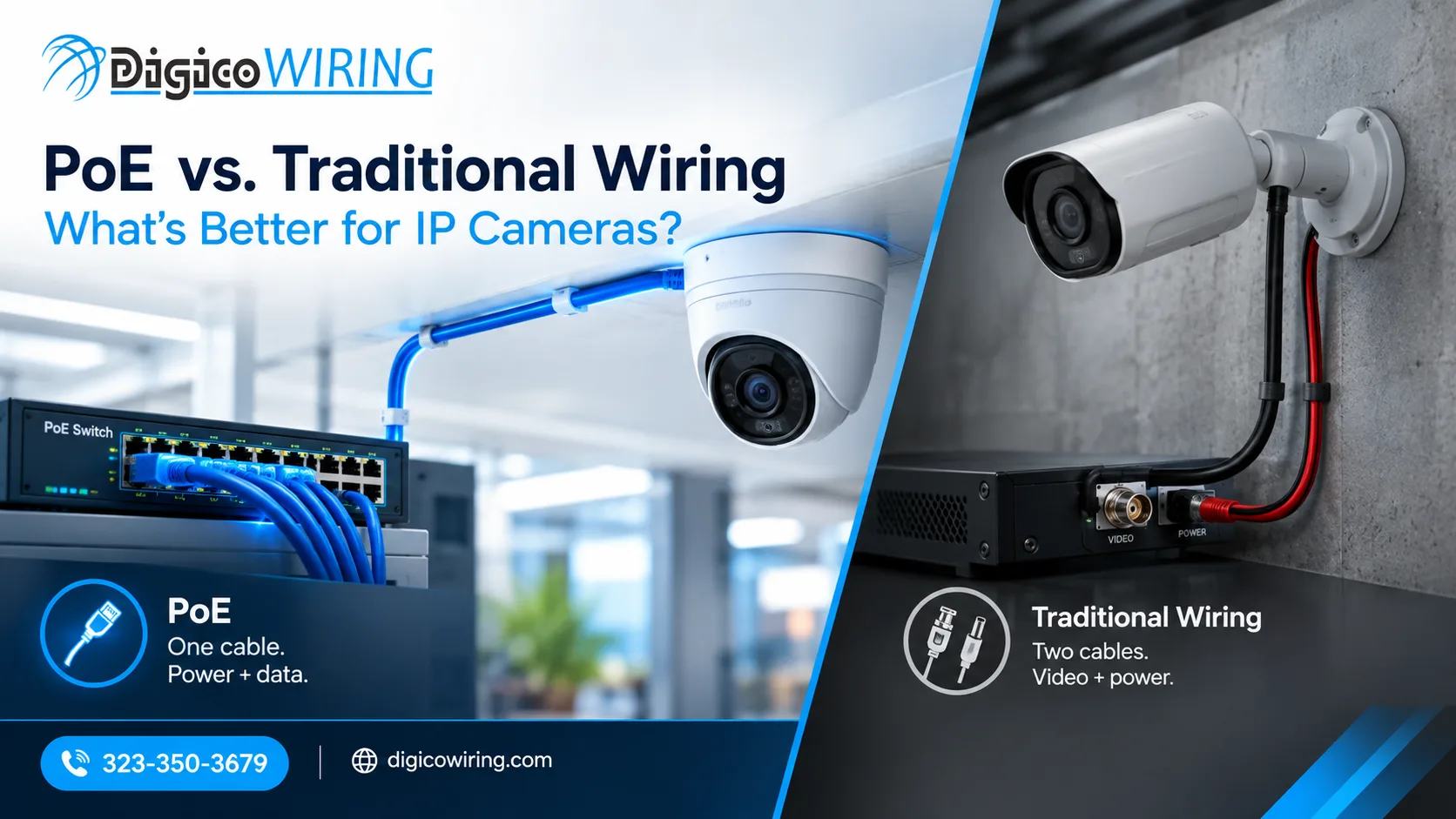
Power over Ethernet (PoE) lets a single Ethernet cable deliver both data and electrical current to a device. For a PoE IP camera, that means no separate power supply, no extra outlet near the mounting point, and no second cable run — everything travels over one Cat5e or Cat6 line back to a switch.
PoE has gone through several generations as demand for power grew. The most recent IEEE standard, 802.3bt, was ratified in 2018 and, unlike earlier PoE versions that only used two of the four twisted pairs inside an Ethernet cable, it powers devices over all four pairs — which is what lets it support cameras with built-in heaters, PTZ motors, and IR illuminators that draw significantly more wattage than a basic fixed-lens unit (Security Sales & Integration).
What Is Traditional Wiring for Security Cameras?
Traditional wiring usually means a coaxial video cable paired with a separate power line — sometimes bundled as "Siamese" cable, sometimes run as two fully independent cables. This was the standard in the analog CCTV era, and it still shows up in buildings wired before IP systems became the norm.
The tradeoff: every camera needs its own nearby power source, or a long power run back to a central supply. That's two cables to pull, two sets of terminations, and roughly double the potential failure points per camera compared to a single PoE run.
PoE vs. Traditional Wiring: Head-to-Head Comparison
|
Factor |
PoE |
Traditional Wiring |
|
Cables per camera |
1 |
2 (video + power) |
|
Installation labor |
Lower |
Higher |
|
Scalability |
Easy to add cameras |
Limited by available power runs |
|
Max cable run |
100 m before an extender is needed |
Varies by cable gauge |
|
Points of failure |
Fewer |
More |
|
NVR/IP system compatibility |
Native |
Often needs converters |
This table is really the whole argument in miniature: fewer cables and fewer connections almost always means fewer service calls down the line. That's the main reason PoE has become the default for new installations, not just a trend.
How PoE Camera Installation Works
A typical PoE camera installation follows a fairly predictable sequence:
-
Plan the cable runs from each camera location back to the network closet, keeping every run within the 100-meter limit.
-
Pull and terminate the cable using proper RJ45 connectors and standard termination practices.
-
Connect each camera to a PoE switch or injector, which handles both power delivery and network data in one connection.
-
Configure the camera on your NVR or VMS, assigning an IP address and confirming the video feed is live.
The mistakes we see most often in the field: cable runs that quietly exceed the 100-meter spec and cause signal degradation, sharp bends or crushed jackets that damage the internal pairs, and skipped grounding on outdoor runs exposed to weather. Getting the PoE camera wiring right on the first pass saves a lot of callback visits later — which is part of why a professional install pays for itself on anything beyond a single camera over the front door.
Choosing the Right Cable: Cat5e, Cat6, or Coax?
Cat5e for PoE cameras is perfectly capable for standard fixed cameras running on 802.3af or 802.3at power — the kind most homes and small commercial systems use. If you're running higher-power devices like PTZ cameras with built-in heaters, or you want to future-proof a commercial install for PoE++ power classes, Cat6 or Cat6a gives you more headroom and better shielding against heat buildup in bundled cable runs.
For IP camera wiring more broadly, cable gauge and shielding matter more than most people expect. Thinner, unshielded cable run in tightly bundled conduits can lose more power to heat over long distances — a real issue once you're powering several cameras through the same pathway. As a general rule, Ethernet cable has a recommended maximum run of 100 meters between the power source and the camera, and going beyond that without a repeater or extender will degrade both power delivery and data reliability (Axis Communications).
Picking a PoE Switch for IP Cameras
The switch is what actually delivers power to every camera on the network, so getting this piece right matters as much as the cable itself. When choosing a PoE switch for IP cameras, look at:
-
Managed vs. unmanaged. Managed switches add VLAN segmentation and remote diagnostics — worth it for commercial systems with more than a handful of cameras.
-
Total power budget. Every switch has a maximum wattage it can distribute across all ports combined. It's easy to underestimate this as you add cameras over time, and end up with a switch that can't fully power the last couple of ports.
-
PoE class support. Confirm the switch actually supports the PoE+ or PoE++ class your cameras need, not just basic 802.3af.
This is one of the most overlooked steps in a DIY install — a switch that looks sufficient on paper can fall short the moment you add three or four more cameras than originally planned.
When Does Traditional Wiring Still Make Sense?
We're not going to pretend PoE is the right call for every single job, because it isn't — and that wouldn't be an honest thing to tell a client. Traditional wiring can still be the practical choice when you're upgrading part of an existing analog system without replacing every camera, when a site has cable runs too long for standard PoE distances, or when specific legacy equipment on a property requires it. Seventeen years in this business has taught us that knowing when not to push newer technology is as important as knowing how to install it.
A Recent Project: Analog to PoE in Los Angeles
We recently worked with a multi-unit property owner in LA who was running an aging analog system — separate power runs to each camera, half of them barely functional after years of wear on the coax connectors. Switching to a PoE IP camera setup cut installation time nearly in half, since our team only needed one cable per camera instead of two separate lines. More importantly, the property owner can now add cameras to new areas without scheduling an electrician for a power drop — just an Ethernet run back to the switch. That kind of flexibility is what actually pays off over the life of a system, not just on install day.
Is PoE the Right Choice for Your IP Camera System?
For the vast majority of new IP camera systems — residential or commercial — PoE is the more practical, more scalable, and more cost-effective choice. Traditional wiring still has its place in specific legacy scenarios, but if you're starting fresh or upgrading, a properly planned PoE camera installation will save you money on labor now and headaches on expansion later.
If you're weighing your options for a new camera system or want a second opinion on an existing setup, DIGICO's security camera installation team can walk your property and put together a plan that fits your budget and building. If you're planning a larger network upgrade alongside your cameras, take a look at our structured cabling services as well. Get in touch for a free assessment.
FAQ
Is PoE better than traditional camera wiring?
For most modern installations, yes. PoE simplifies installation, reduces points of failure, and makes future expansion much easier since each camera needs only one cable.
Can I use Cat5e for PoE cameras?
Yes. Cat5e handles standard PoE and PoE+ cameras well. Higher-power devices like PTZ cameras with heaters benefit from Cat6 or Cat6a instead.
How far can a PoE camera be from the switch?
Up to 100 meters (about 328 feet) without a repeater or extender.
Do I need a special PoE switch for security cameras?
You need a switch that supports the PoE class your cameras require and has enough total power budget for every connected device — not every PoE switch is sized for a full camera system.
Is PoE camera installation more expensive upfront?
Usually the opposite — it requires less cable and less labor per camera than running separate power and video lines.