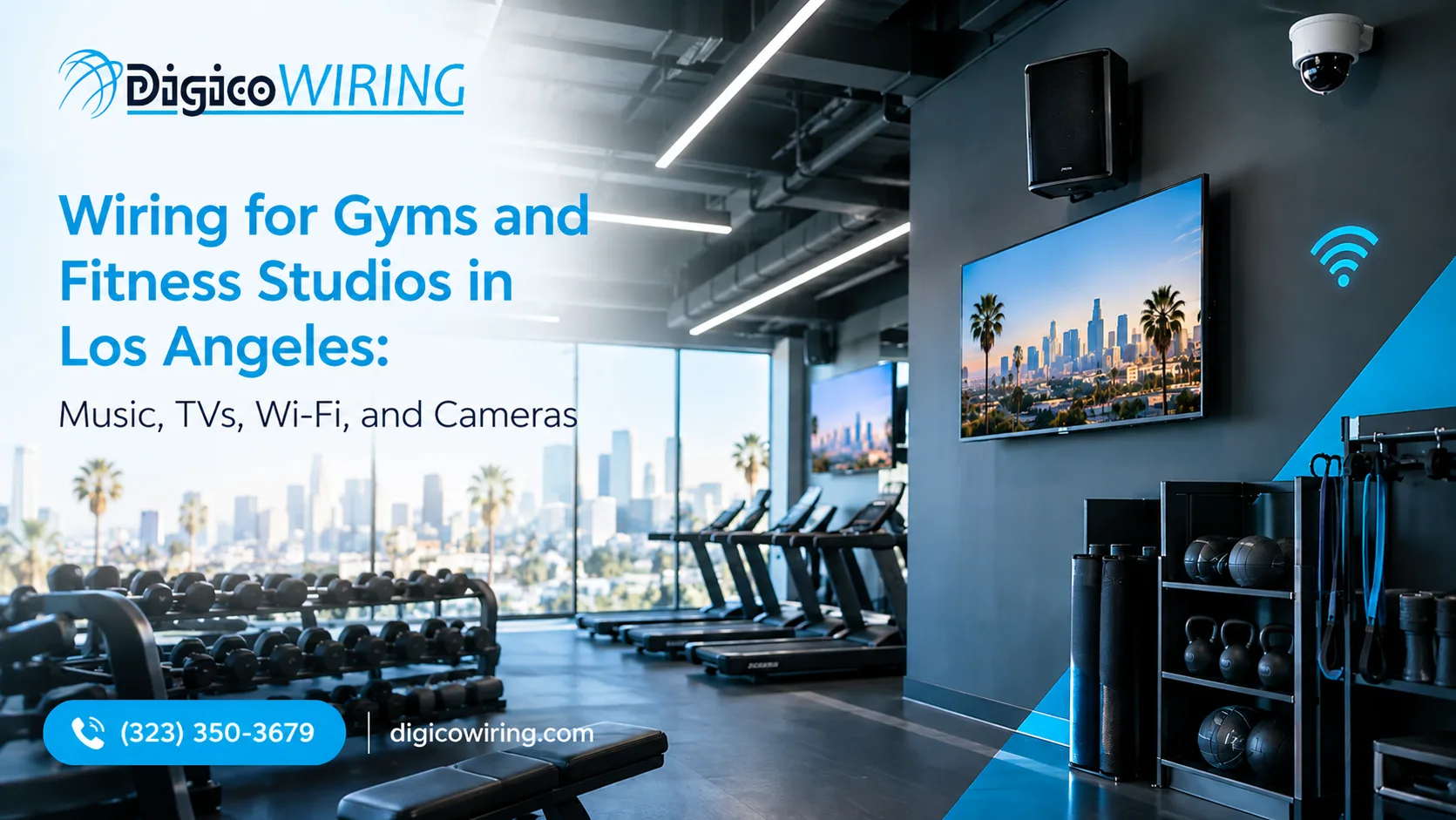
Picture opening night at a new boutique studio in Los Angeles. The lights are low, the playlist is perfect, and then the Wi-Fi drops, the lobby TV goes black and one speaker in the back corner starts to hum. Nobody did anything wrong. Four vendors simply worked in the same ceiling without a shared plan.
Gyms are demanding buildings to wire. The Health & Fitness Association reported a record 81 million U.S. fitness facility members in 2025. Members expect music that sounds right, screens that work, Wi-Fi that holds up and a building that feels safe. All of that depends on reliable cabling. Planning low-voltage wiring before walls and ceilings are closed can help reduce the labor and disruption associated with retrofits.
This guide walks through what to wire for sound, video, Wi-Fi and cameras, in what order, and which California rules to know before you point a single lens. It draws on DigiCo Wiring's 17+ years of low-voltage experience in Los Angeles, alongside the standards and studies cited throughout the guide.
Why low voltage wiring is the backbone of a modern gym
Speakers, screens, access points, cameras and door readers all live on low voltage cabling. In code terms, much of it falls under NEC Article 725, which covers power-limited circuits. The label is looser than it sounds: as ECM's explainer on Article 725 points out, "low voltage" is not a precise code term, and what actually matters is the circuit class, defined by voltage and power limits.
In California this is licensed work. The Contractors State License Board describes the C-7 Low Voltage Systems classification as covering energy-limited communication and low voltage systems up to 91 volts, including sound systems and closed-circuit video. Low voltage fire alarm is specifically excluded, so that work needs its own qualified trade.
For an owner, the practical point is that every system needs a cable path, a power plan and a home in the equipment closet. Planning them together keeps the ceiling tidy and the budget honest.
|
System |
Typical cabling |
Plan this early |
|
Sound |
Speaker cable, plus Cat6 for networked audio |
Zones, rack location, amplifier ventilation |
|
TVs and signage |
HDMI runs, or Cat6/Cat6A for AV over IP |
Screen positions, power behind each display |
|
Wi-Fi |
Cat6A to every access point |
Access point count by area, PoE power |
|
Security cameras |
Cat6 with PoE to each camera |
Camera map, recorder, storage |
|
Access control |
Low voltage cable to readers and locks |
Door hardware, entry points |
Pull them in one pass, label every cable at both ends, and bring everything home to one organized closet. That is the core of our low voltage wiring and cabling work, and it is the reason a future speaker swap or camera upgrade takes an afternoon instead of a ceiling hunt.
Gym sound system installation: zones, classes and hearing safety
A good gym sound system installation starts with a map, not a speaker catalog. Walk the floor and mark the zones: cardio, free weights, group studio, locker rooms, lobby and retail. Each wants a different mood and a different volume. The lobby should feel welcoming, the weight floor wants energy, and the locker room wants something gentle. When every zone has its own level control, your team can adjust one room without turning the whole building into a nightclub.
Then comes the part nobody sees. Run speaker cable to each zone before the ceilings close, leave a service loop at every drop and label both ends. Our audio video wiring and installation crews document each run, so a future speaker swap never turns into a guessing game.
A fitness class sound system is its own world
The studio deserves special attention. A fitness class sound system has to carry an instructor's voice over driving music, handle real bass without rattling the walls, and survive a sweaty hand on the mixer. In practice that means a wireless headset microphone, an amplifier and processor sized for the room, well-placed subwoofers and a simple, labeled input for the instructor's device.
One feature we always specify is a limiter in the digital signal processor. It sets a hard ceiling on volume, and it matters more than most owners expect.
Loud is not the same as motivating
Start with the benchmark. NIOSH recommends keeping workplace noise at or below 85 dBA averaged over eight hours, and every 3 dB increase halves the safe time. Its criteria document lays out the reasoning, and NIOSH's guidance on music exposure puts numbers on it: a full daily dose arrives in 60 minutes at 94 dBA and in just 15 minutes at 100 dBA. Those limits are written for workplaces, which makes them a sensible yardstick for instructors who teach several classes a day.
Now compare that with real studios. University of Maryland researchers measured spin classes running between 93 and 101 decibels. When the music came down by 2 to 3 decibels, riders reported no drop in workout intensity, and many preferred the quieter setting, according to the university's announcement. The Hearing Health Foundation's write-up adds that more than one in four participants noticed ringing or muffled hearing after class.
That is a design problem we can solve. A qualified AV professional can configure a maximum level in the processor and verify sound levels during commissioning. This helps keep classes energetic while managing exposure to excessive volume. Instructors keep the energy, and members keep their hearing.
Music licensing: the question owners forget
Music played in a fitness facility counts as a public performance, which generally requires licenses from the performing rights organizations ASCAP, BMI, SESAC and GMR. Athletech News and Feed.fm both walk through the basics. Group classes can fall under higher rate schedules than background music, as this Athletech piece explains, so ask which license covers what you actually do. We install the system, and you secure the licenses. This is general information, not legal advice.
TVs everywhere: choosing a commercial video distribution system
Count your screens first. Cardio rows, the studio, the lobby, the juice bar and maybe a kids' area add up fast, and each raises the same question: who decides what it shows? A commercial video distribution system is the answer, and the right one depends on how many screens you have and how differently you want them to behave.
|
Approach |
Best for |
Cabling |
Trade-off |
|
Standalone streaming box per TV |
A handful of screens with the same needs |
Power and network at each TV |
Every box is managed separately, so screens drift out of sync |
|
HDMI matrix |
A moderate number of screens near a central rack |
A dedicated video run from the rack to each display |
Fixed inputs and outputs, so growth means new hardware and new runs |
|
AV over IP |
Many screens with different content by zone |
Standard network cable to each display |
Needs a well-designed network and a controller |
For gyms with multiple displays, video distribution should be planned around the number of screens, the content each area needs and the available cable routes. Depending on the layout and equipment, options may include dedicated video connections or network-based distribution. Confirm the system design, control requirements and compatibility with your existing equipment before choosing an approach.
For a gym, that could mean the class schedule on the studio screens, sports on the cardio floor and your brand video in the lobby, all switched from a tablet at the front desk. Turn captions on by default, because gyms are loud, and confirm with your TV provider that your plan covers commercial use.
Wi-Fi that survives the 6 p.m. rush
Gym Wi-Fi is a capacity problem, not just a coverage problem. At 6 p.m. you may have hundreds of phones and wearables, staff tablets, point-of-sale terminals, a class-booking app and cameras all competing for the same airtime.
High-density venue design offers useful lessons. Purple's guide to high-density Wi-Fi focuses on stadiums, so its recommendations should be adapted to each gym rather than applied universally. Plan for capacity first, and use an on-site RF survey to determine access point placement, transmit power, channel widths and minimum data rates. In particularly dense areas, narrower 20 MHz channels may help manage interference, but the right settings depend on the building layout and client devices. The 6 GHz band can provide additional capacity where supported by the access points and client devices. The FCC opened 1,200 MHz of spectrum in the 6 GHz band for unlicensed use in the United States.
None of it works without good cabling. We run Cat6A to every access point as our default, because it carries multi-gig links and high-power PoE with room to spare. One honest nuance from Cabling Installation & Maintenance (a sponsored article, so read it with that in mind): PoE performance depends more on conductor gauge than on category, and heat builds in large bundles, so smaller bundles with good airflow matter.
Power is the other half of the plan. PoE+ delivered up to 30 watts at the switch, while the newer 802.3bt standard, published in 2018, supports up to 90 watts for power-hungry access points and PTZ cameras. Size your switches for the devices you will own in five years, not the ones you buy today. Our Wi-Fi design and installation team starts every project with that power budget.
Finally, separate your traffic. Member guest Wi-Fi, staff and point-of-sale systems, and cameras with access control belong on separate virtual networks, so a member streaming video never shares a lane with your payment terminal. Add a wired drop in the studio for the instructor's laptop or media player, and you remove one more thing that can fail mid-class.
Gym security cameras: where they go, and where they must not
Where gym security cameras earn their keep
The best gym security cameras do two jobs: they deter trouble, and they give you clear answers when something happens. Start with the entrance and front desk, the free-weight and cardio floors, emergency exits, the retail or cash area, the equipment room, and the parking lot with its approach.
The lot deserves extra attention. In one Chicago club, a CBS Chicago report described a member whose bag was stolen from the pool deck, after which her keys were used to take her car from the parking lot. Athletic Business notes the same pattern more broadly, with thieves targeting lockers, coat racks and cars alike.
The same CBS story highlights an uncomfortable truth: staff said criminals know the locker rooms have no cameras. That is exactly as it should be, because privacy comes first, but your security plan has to work around the gap. Cover the corridors and entrances leading to the locker areas, keep access control tight, encourage members to use locks, and post clear signage.
Decide what each camera must see
A camera that shows the room is not the same as a camera that can identify a face. The industry measures this with the DORI levels in IEC 62676-4, which set minimum pixel density for detection, observation, recognition and identification. Axis's white paper on pixel density lists the figures, and notes they apply when a human operator is interpreting the video.
|
DORI level |
Pixels per meter |
Typical gym use |
|
Detection |
25 |
Confirm someone is in the weight room after hours |
|
Observation |
63 |
General description of a person on the floor |
|
Recognition |
125 |
Spot a known member or staff person |
|
Identification |
250 |
Capture a usable face at the front door or in the lot |
Here is why it matters. By our math, a 4 MP camera that is 2,560 pixels wide delivers 250 pixels per meter across roughly a 10-meter wide view, so a wide-open lobby may need two cameras to identify faces everywhere. We plan every lens against these numbers, so footage is useful on the day you need it.
California rules you cannot skip
California is clear about where cameras cannot go. Penal Code 647(j) makes it a crime to use a camera to view or record the interior of a bathroom, changing room, fitting room, dressing room or tanning booth, or any other area where a person expects privacy, with the intent to invade that privacy. The statute is on Justia.
Employers have a second rule to follow. Labor Code 435 prohibits an employer from making an audio or video recording of an employee in a restroom, locker room or room designated for changing clothes, unless a court orders it. Compliance guides add that footage made in violation of this rule cannot be used for any purpose, so an illegal camera protects no one.
Audio is the other trap. Penal Code 632 requires the consent of all parties to record a confidential communication, which is why security compliance guides recommend disabling microphones unless there is a documented consent structure. Our default is video only.
California has also enacted legislation addressing workplace surveillance. AB 1331 was signed into law on September 30, 2026, as Chapter 851 of the Statutes of 2026. According to legal commentary, it is scheduled to take effect on January 1, 2027, and restricts workplace surveillance in bathrooms. Separate protections for employee privacy in locker rooms and restrooms are addressed by California Labor Code Section 435. Review the final statutory text with your attorney before implementing a surveillance policy. This is general information, not legal advice.
Gym security camera installation: how a clean job goes
A smooth gym security camera installation follows a predictable path, and each step protects your budget:
-
Site walk and camera map. We choose positions by what each camera must see, using the DORI levels above.
-
Cable pull. Each camera gets its own home run, typically Cat6, and the power comes with it over PoE.
-
Switch and recorder sizing. We match the PoE budget and storage to the camera count and how long you want to keep footage.
-
Network setup. Cameras sit on their own virtual network, and default passwords are changed on day one.
-
Signage and policy. Decide who can view footage, how long you keep it and how requests are handled, then write it down.
-
Commissioning and training. We check every view by day and by night, then show your team how to pull a clip in under a minute.
You can see how we approach it on our surveillance camera installation page.
The pre-wire checklist: what to settle before the drywall closes
Bring this list to your first meeting with any contractor, and the project starts on solid ground:
-
A floor plan marking every speaker, screen, access point and camera location.
-
A cable schedule with the type, label and home run for each drop.
-
A rack or closet location with power, cooling and room to grow.
-
A PoE budget covering cameras and access points.
-
Conduit or ceiling access for future upgrades.
-
A commissioning plan: sound levels measured, camera views checked, Wi-Fi surveyed and as-built drawings delivered.
Build-outs in Los Angeles also involve city permits and inspections, so ask your contractor which ones apply to your project and who handles them.
How to choose a low voltage contractor in Los Angeles
Start with the license. Any contractor you hire for this work should hold an active California license in an appropriate classification, such as C-7 for low voltage systems. Verify it yourself with the CSLB's license check, and remember that low voltage fire alarm work sits outside C-7. Then ask for proof of insurance and bonding, references from gyms or hospitality projects, labeled cabling, as-built documentation and a written warranty.
The most revealing question is also the simplest: who coordinates sound, video, Wi-Fi and cameras? If the answer is four different companies, you become the project manager. If it is one team, you get one plan and one phone number.
That is how DIGICO works. We have served Los Angeles since 2008, hold California license #1022276 (C-7 and C-10), and send our own in-house technicians rather than subcontractors. Browse our work, see the neighborhoods we serve, or read about the industries we support to see whether we have wired a space like yours. Our about page tells the longer story.
Ready to wire it right?
A gym runs on four systems that belong on one plan, installed early and reviewed against California law. If you are opening a new space or upgrading an existing one, DIGICO can walk your site, map the cabling and give you a clear quote for gym sound system installation, video distribution, Wi-Fi and security cameras anywhere in Los Angeles. Request a free quote or call us.
FAQ
Do gyms need a license to play music?
Generally yes. Music played in a fitness facility is a public performance, which typically requires licenses from ASCAP, BMI, SESAC and GMR, and classes can fall under separate rate schedules. Confirm the details with your licensing provider.
Can I put security cameras in a gym locker room in California?
No. Penal Code 647(j) bars cameras in changing rooms and similar private spaces, and Labor Code 435 bars employers from recording employees in locker rooms and restrooms. Place cameras on corridors and entrances instead.
Should gym security cameras record audio?
We recommend video only. California requires the consent of all parties to record a confidential communication, so most gyms disable microphones.
What cable should I run for gym Wi-Fi and cameras?
Cat6A to each access point and Cat6 or better to each camera is a sound approach, with PoE sized for the devices you will add over the next several years.
How loud should a fitness class sound system be?
NIOSH's workplace guidance points to 85 dBA over eight hours, and its music-exposure guidance cites 94 dBA for one hour as a full daily dose. Set a limiter in the processor and measure at the instructor's position and in the room.